WSU Transcripts
Unofficial Transcripts are free
Unofficial Transcripts can be viewed in myWSU. If you no longer have access to myWSU, you must order an Official Transcript. myWSU > Student Homepage > Academic Records > View Unofficial Transcript.
Official Transcripts
Parchment, WSU's transcript vendor, provides Official Transcripts for current and former WSU students at a cost of $10 per copy. Official Transcripts may be sent to you or a third party.
Your WSU Student ID is required for Official Transcript order. Orders with incorrect information will be cancelled. Double check name spelling (especially hyphenated names), date of birth, and WSU Student ID.
Help finding your WSU Student ID
Call Crimson Service Desk: 509 335-4357
Transcript FAQs
Go to the Parchment website.
Create a new Parchment account or log in to your existing account.
Add Washington State University to your Parchment account.
Set your delivery destination.
Select the type of transcript: eTranscript (secure PDF) or printed and mailed.
Attach documents to be delivered with your transcript, if needed (less common).
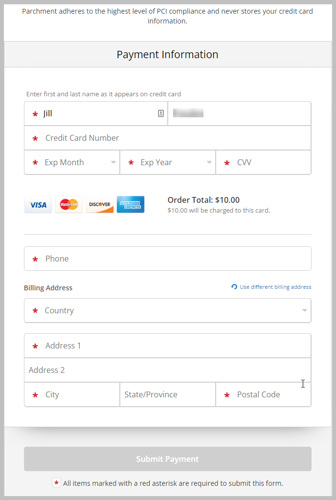
Provide payment information to Parchment through their secure gateway.
Ordering example images
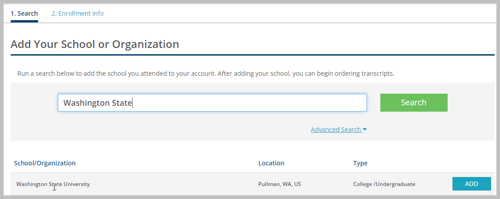
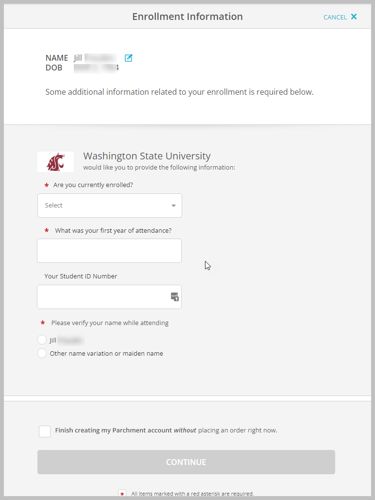
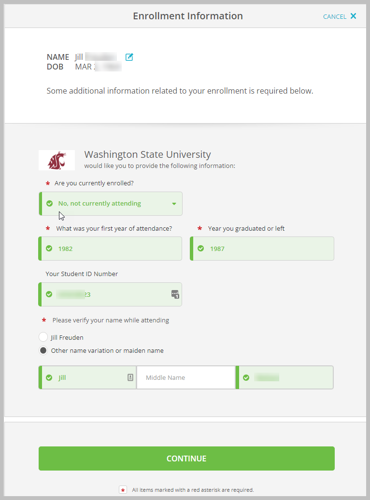
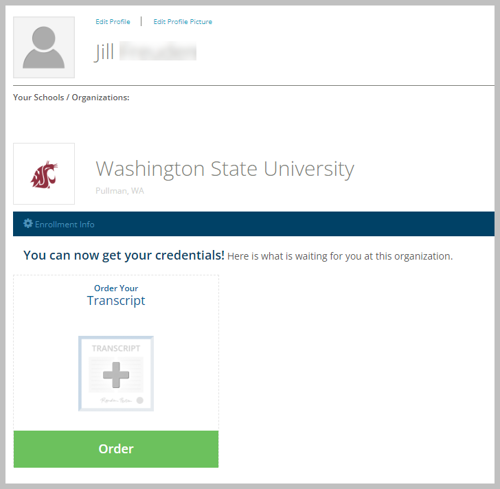
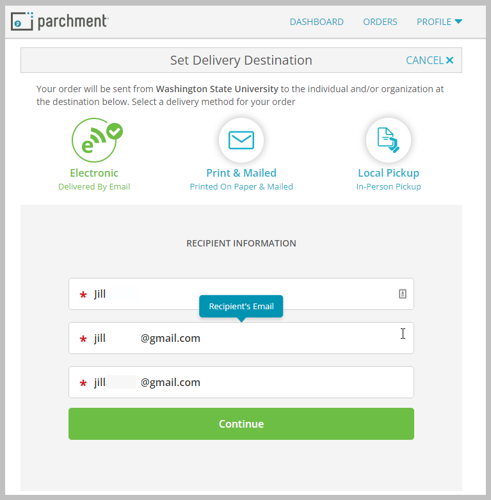
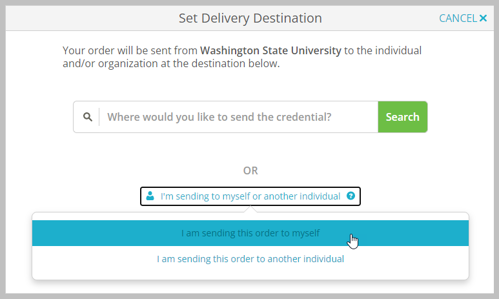
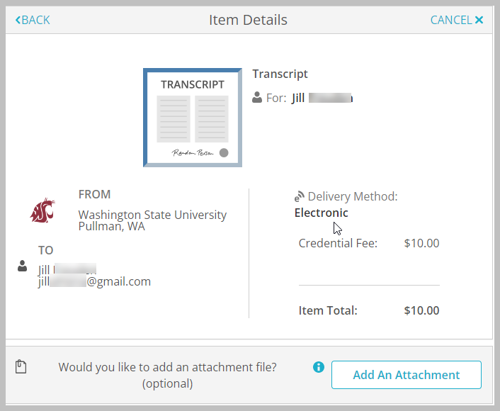
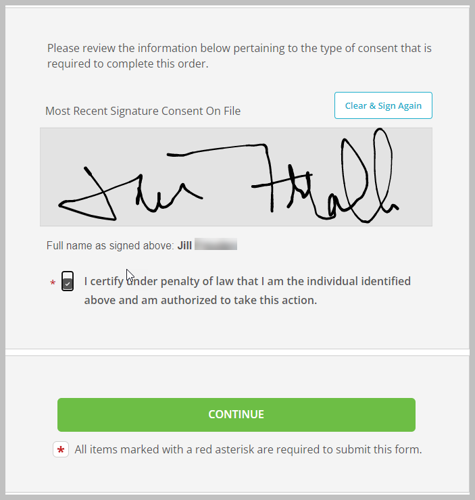
Official Transcript - eTranscript
$10 eTranscript
Official Transcript - Paper Transcript
$10 Paper Transcript plus shipping. Prices listed below.
Additional Shipping Charges
USPS Mail: Free for standard or international orders
FedEx Overnight Domestic: $30 shipping
FedEx International: $55 shipping
Your transcript can be delivered electronically or on paper.
Electronic eTranscript: secure PDF delivered by email. If you send an official eTranscript to yourself, the PDF cannot be forwarded to a 3rd party as an official transcript.
Print & Mailed: Printed on paper and mailed by USPS. FedEx is available for an additional cost.
You will have the option to upload a file that can be delivered to a third party with your Official Transcript. This option is useful for Graduate and Professional students.
Example documents that you may wish to upload for inclusion are:
Nursing Cas
GradCas
VIRMP
VMCAS
Accepted document formats:
.doc
.docx
.pdf
Maximum 2 mb file size

Official Transcripts
Official transcript orders for students with transcript holds will not be processed until authorization to release transcript has been received.
Official transcripts are not held if a student has current or past WSU debt.
Parchment, our third party vendor, captures the written student authorization during official transcript order placement.
Students attending prior to 1993 must order an official transcript through Parchment, as data is not in the current student information system (myWSU) and must be uploaded to Parchment.
Unofficial Transcripts
Unofficial transcripts are not printed and distributed to a third party or the student. Order an Official Transcript to send it to a third party.
Transcripts released to third party
In accordance with the Family Educational Rights and Privacy Act of 1974 (FERPA), records may not be released to a third party without the written, signed authorization of the student.
Students may request a copy of an international educational organization transcript that was provided to WSU for a fee of $10. Download the pdf request form, complete the information, and mail the form and fee payment to: Office of the Registrar, POBox 641035, Pullman, WA 99164-1035.
Have you updated your MFA to access myWSU?
WSU will no longer support phone-based multi-factor authentication (MFA), including text messaging, starting 3/25/25. To avoid being locked out of your account, update your security at account.wsu.edu. More information: WSU Insider acticle dated 1/13/25 and Knowledge Base instructions